 Readivu
PDFs read aloud, in the order you would read them
Open a PDF in Readivu and it reads it to you in a natural voice, highlighting each sentence as it goes. Two-column papers come out column by column, scanned PDFs are read too, and there is no page limit.

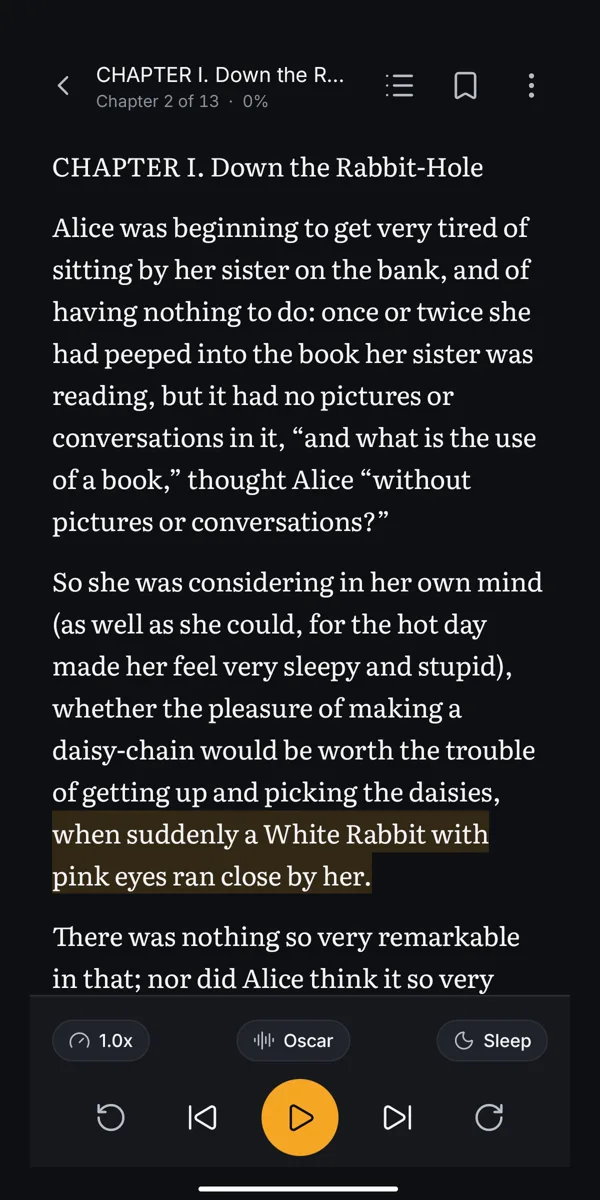
Three taps to listening
- Tap Add, then Open a file, and pick the PDF from your phone or your cloud drive.
- Readivu lays the text out as a page you can read along with, split into its chapters when the PDF has them.
- Press play. Turn the screen off; it keeps reading, and your place is kept for next time.
What it does with a messy PDF
| Two-column papers | Read down the left column, then the right, not straight across both. |
|---|---|
| Headers and page numbers | The title and number printed at the top or foot of every page are left out, so they do not interrupt a sentence. |
| Words split at line ends | "infor-" and "mation" are read as one word. |
| Scanned PDFs | Pages that are only a picture of text are recognised and read like the rest. |
| Length | No page limit and no daily limit. |
Who it is for
If you have a reading list of papers, a long report for work or a textbook chapter for tomorrow, listening while you walk or commute gets it done. Speed goes up to 3x, so you can push it once your ear is used to a voice.
Want the result on the go without your phone screen on? Save the PDF as an audio file and play it anywhere. For books, the EPUB reader keeps the chapters of the book; for printed handouts, photograph the pages.
What it will not do: handwriting and pages that are mostly formulas or tables are read poorly. Readivu is built for running text.